Five Modes Built for Every Stage

From a zero-code tactile playground to a full multi-tab robotics IDE and browser-based classroom server — every mode shares the same live physics engine.
Mode 1: Kid GUI Mode 2: Blockly Scratch Mode 3: Kid Python Mode 4: Full IDE Mode 5: Web Classroom
Mode 1 Kids, demos & outreach events

Kid GUI — Native Tactile Playground

Zero typing required — drive iCub with preset actions and single-joint jog controls.

Designed for young visitors, science fairs, and first interactions. Features large pose presets (Wave, Both Arms Up, Look Center), per-joint step buttons, step-size & speed sliders, custom .yaml world selection, live ball distance telemetry, and confetti celebration when the ball is hit.

  • One-click preset motions (Wave Left/Right, Reset, Stand Straight)
  • Individual joint sliders & delta step buttons with configurable speed
  • Live distance-to-ball telemetry & hit counter with confetti reward
pycub-studio --mode kid_native
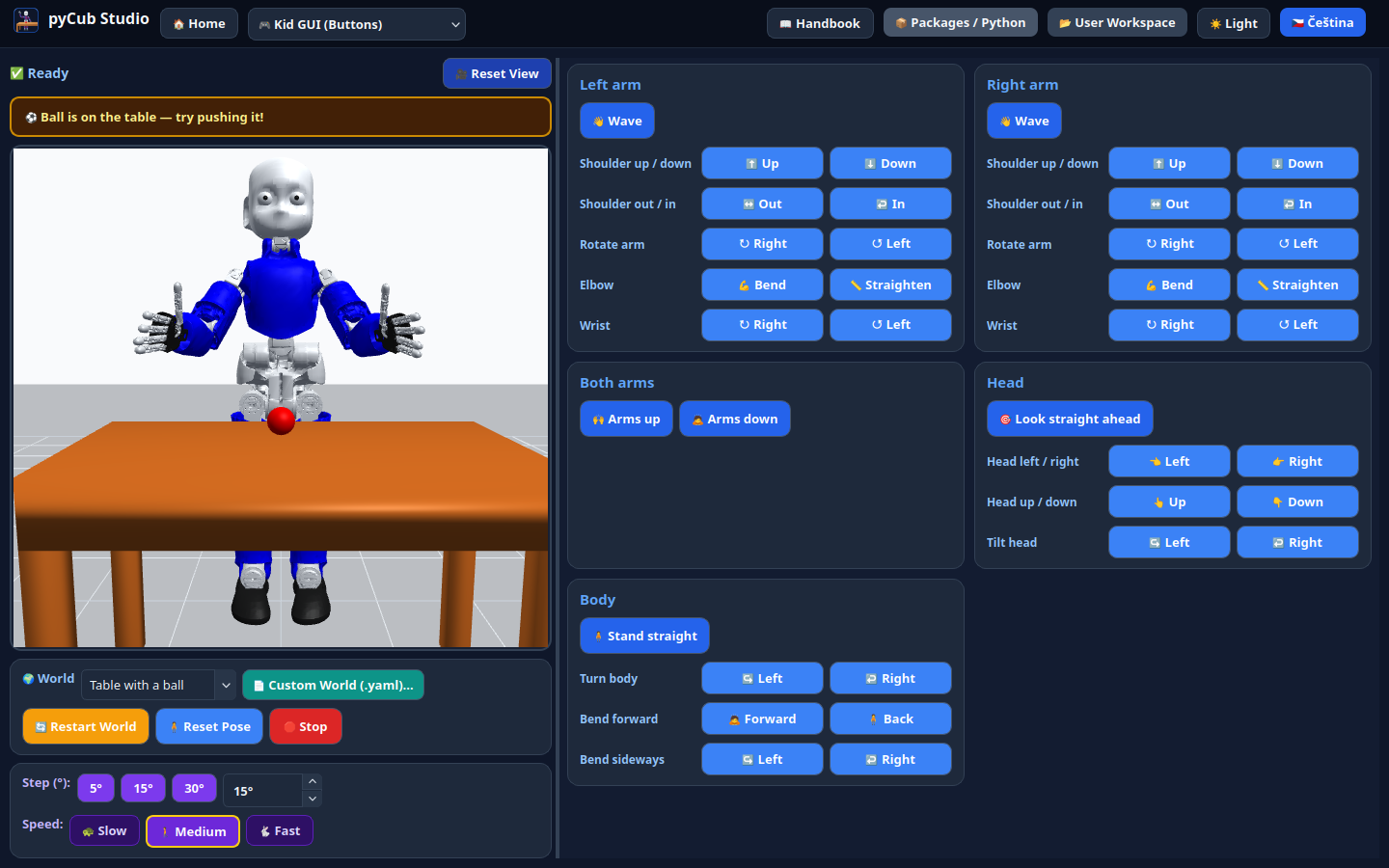
pyCub Studio Mode 1 Kid GUI Native showing control buttons and 3D OpenGL iCub with red ball
Mode 2 Primary & secondary students (Ages 8–15)

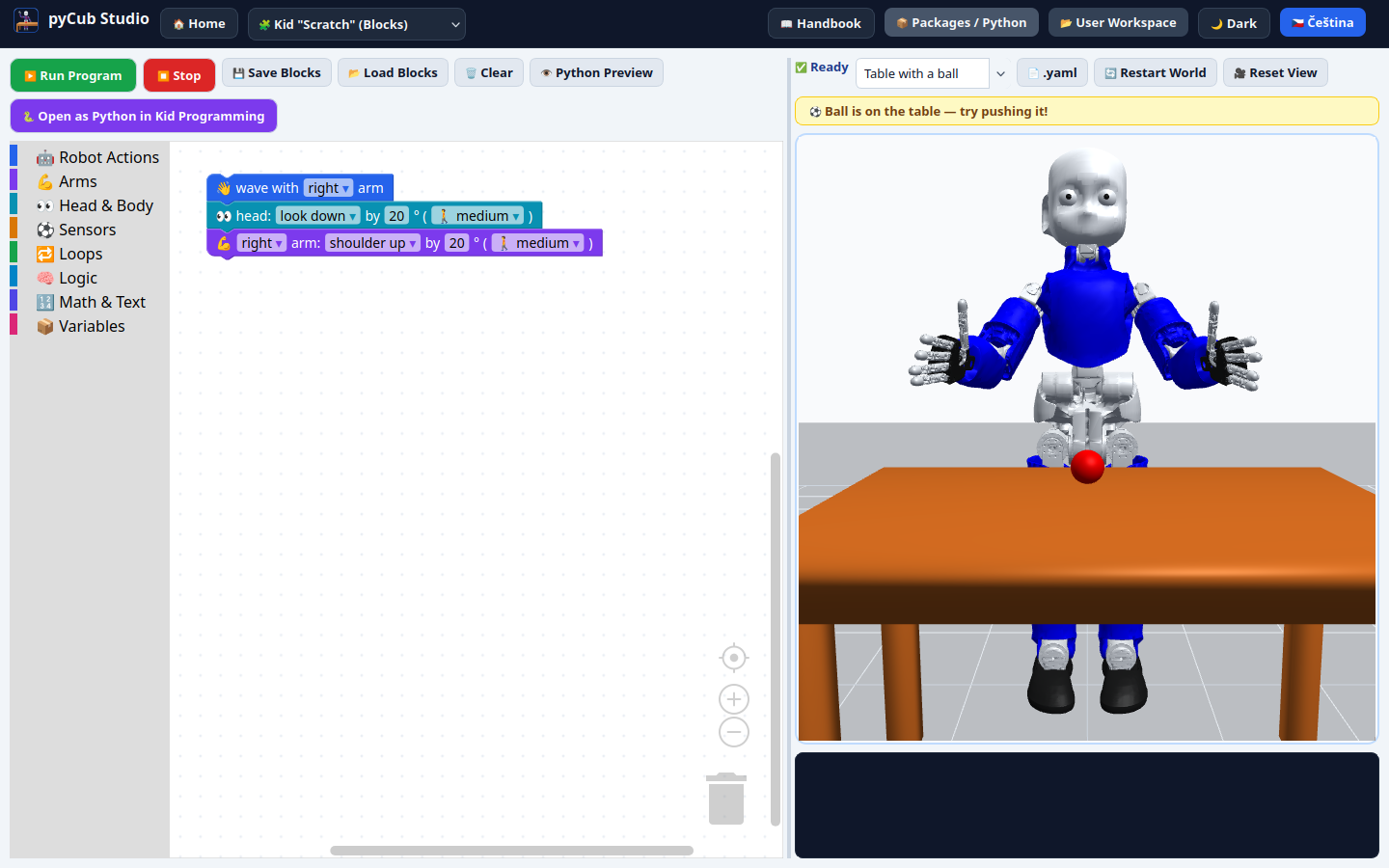
Kid GUI "Scratch" — Offline Visual Blockly

Drag-and-drop visual programming with real-time execution highlighting and live Python generation.

Powered by an offline Google Blockly workspace with full English & Czech block translations. As the program runs, each active block lights up live alongside the 3D robot, while a side inspector previews generated Python code and lets students graduate to Kid Programming in one click.

  • 100% offline Google Blockly with EN/CZ bilingual block library
  • Live yellow highlight synced step-by-step with robot motion
  • Save/load .pycub_blocks projects and one-click export to Python
pycub-studio --mode kid_scratch --lang en
pyCub Studio Mode 2 Scratch visual Blockly blocks beside 3D iCub simulator
Mode 3 High-school & beginner Python coders

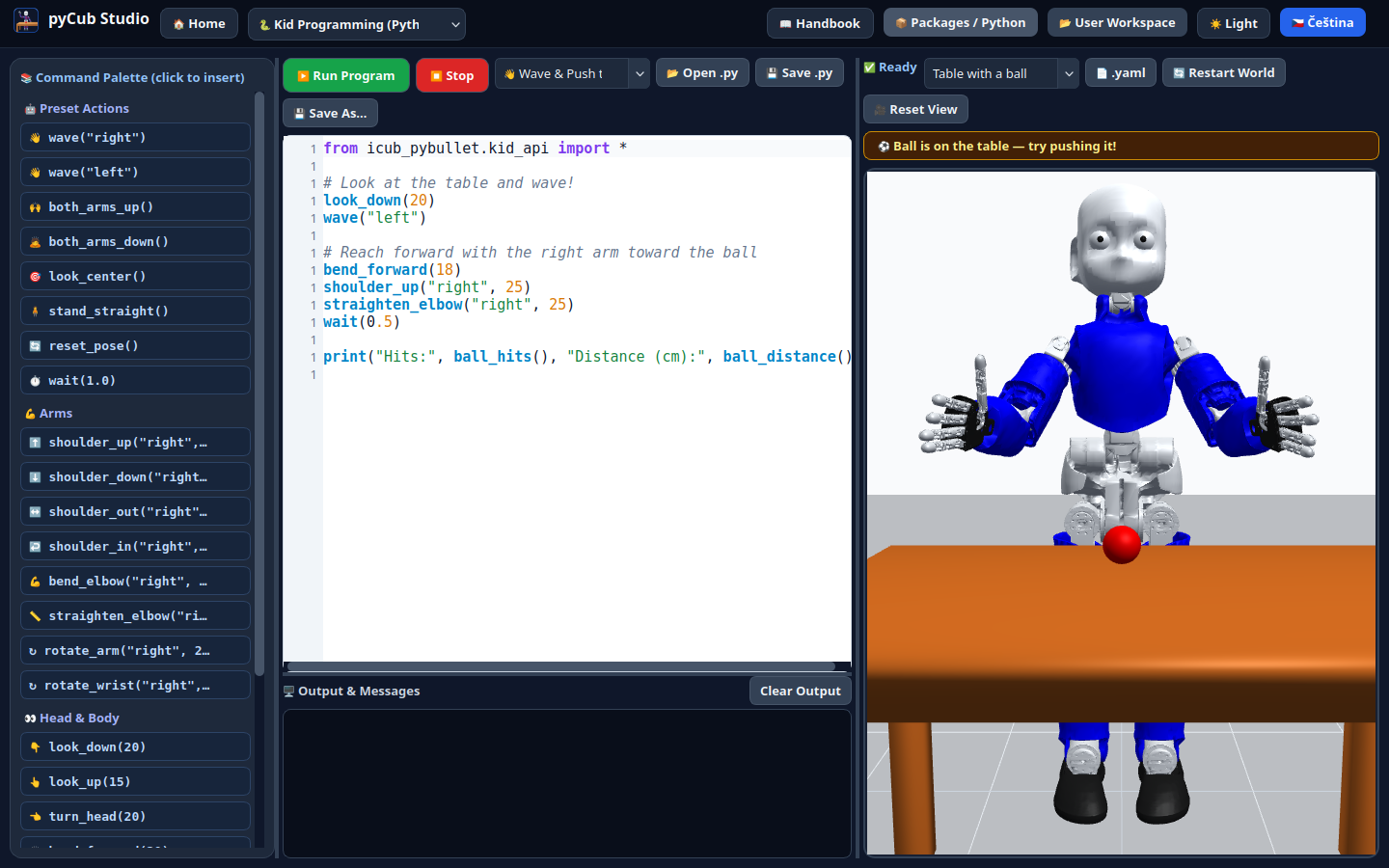
Kid Programming — High-Level Python API

Bridge visual blocks and real Python using intuitive kid_api commands without radians or simulation loops.

Students write clean, readable Python using icub_pybullet.kid_api functions in degrees and seconds. Includes a clickable Command Palette that inserts snippets, inline call signatures, starter templates, and friendly localized error hints.

  • Intuitive degrees/seconds API (wave('right'), shoulder_up, ball_touched())
  • Bilingual English & Czech function names (zamávej, zvedni_rameno)
  • Clickable Command Palette, starter templates & friendly traceback hints
pycub-studio --mode kid_code
pyCub Studio Mode 3 Kid Programming showing Command Palette, Python editor, and 3D iCub
Mode 4 University courses & robotics researchers

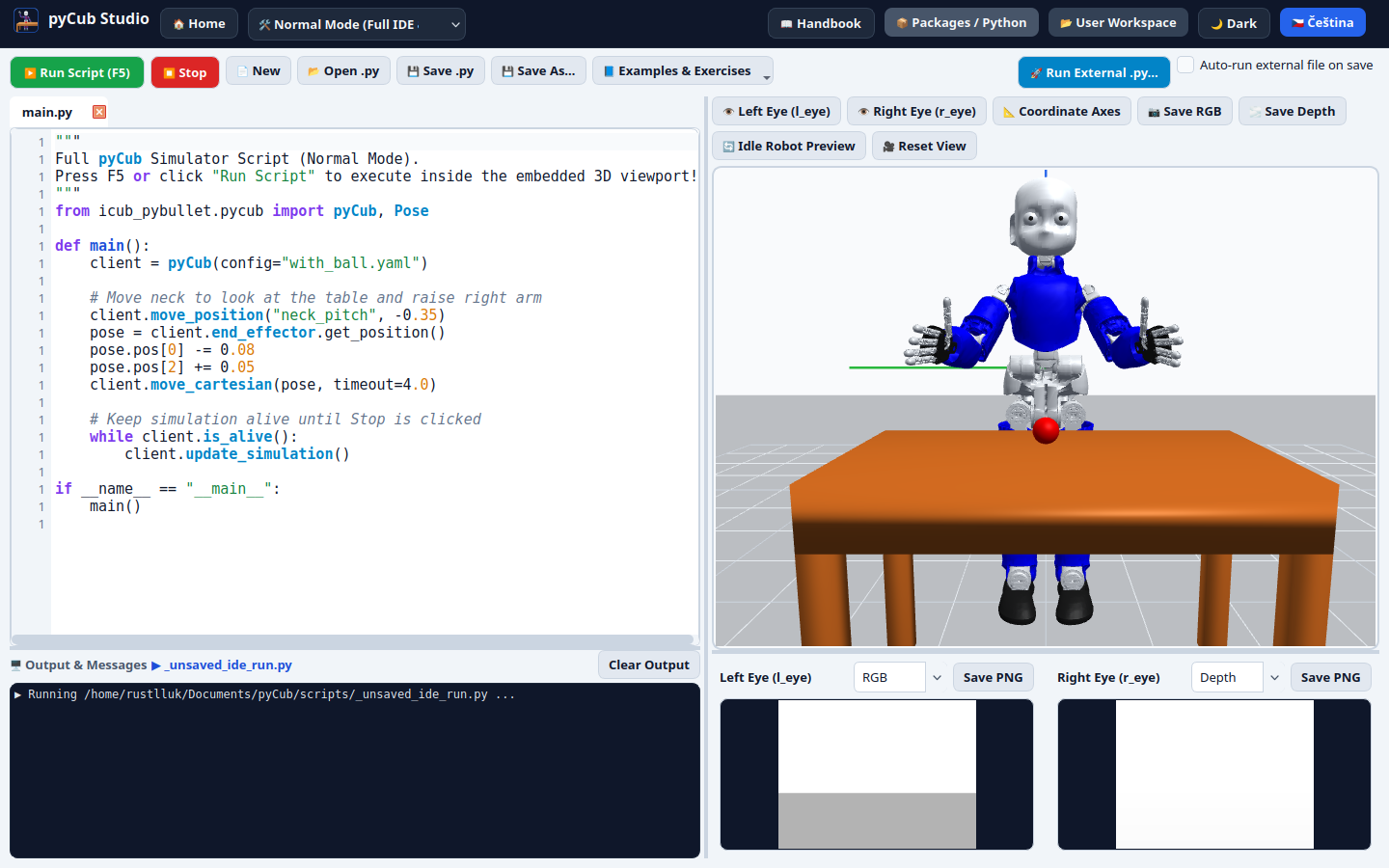
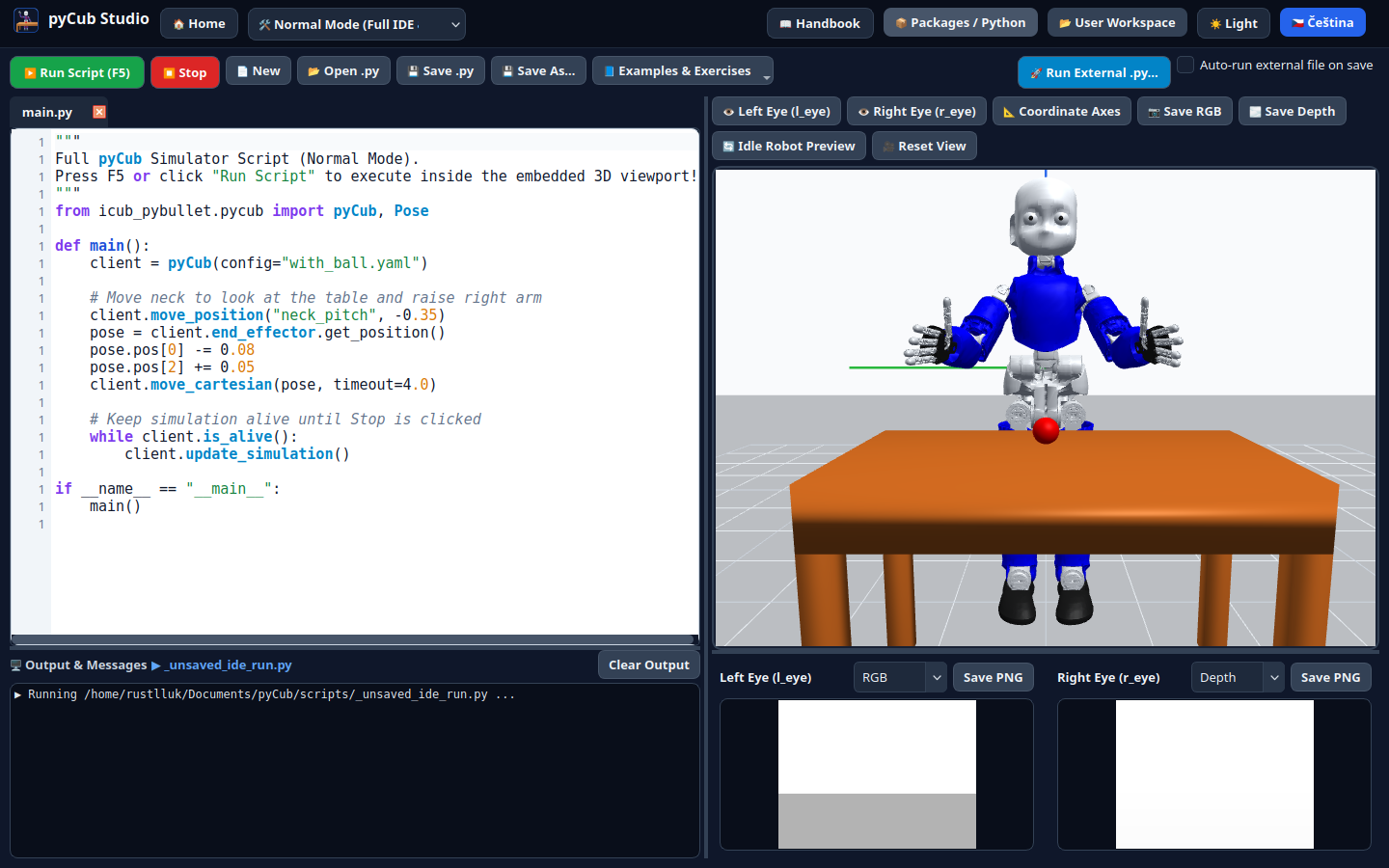
Normal Mode — Full pyCub IDE & Script Runner

Multi-tab Python & YAML development environment with stereo eye cameras, coordinate axes, and Exercise Tester.

Built for university students and robotics researchers. Offers multi-tab Python/YAML editing with autocomplete, hover docstrings, F12 Go to Definition, external --run-script runner with auto-run on save, dockable l_eye / r_eye RGB & Depth feeds, 3D coordinate frame overlays, and one-click unpacking + grading for Course Exercises 1–5.

  • Dockable l_eye / r_eye RGB & Depth cameras + 3D Coordinate Axes toggle
  • Multi-tab editor with autocomplete, Go to Definition (F12) & YAML loader
  • Built-in Course Exercises (1–5) installer, tester & package manager
pycub-studio --mode normal
pyCub Studio Mode 4 Normal IDE running Cartesian ball push with l_eye RGB, r_eye Depth, and console
Mode 5 Teachers, workshops & computer labs

Classroom Web Selector — Multi-Instance Server

Launch and supervise N independent browser simulators behind one load-balanced QR landing page.

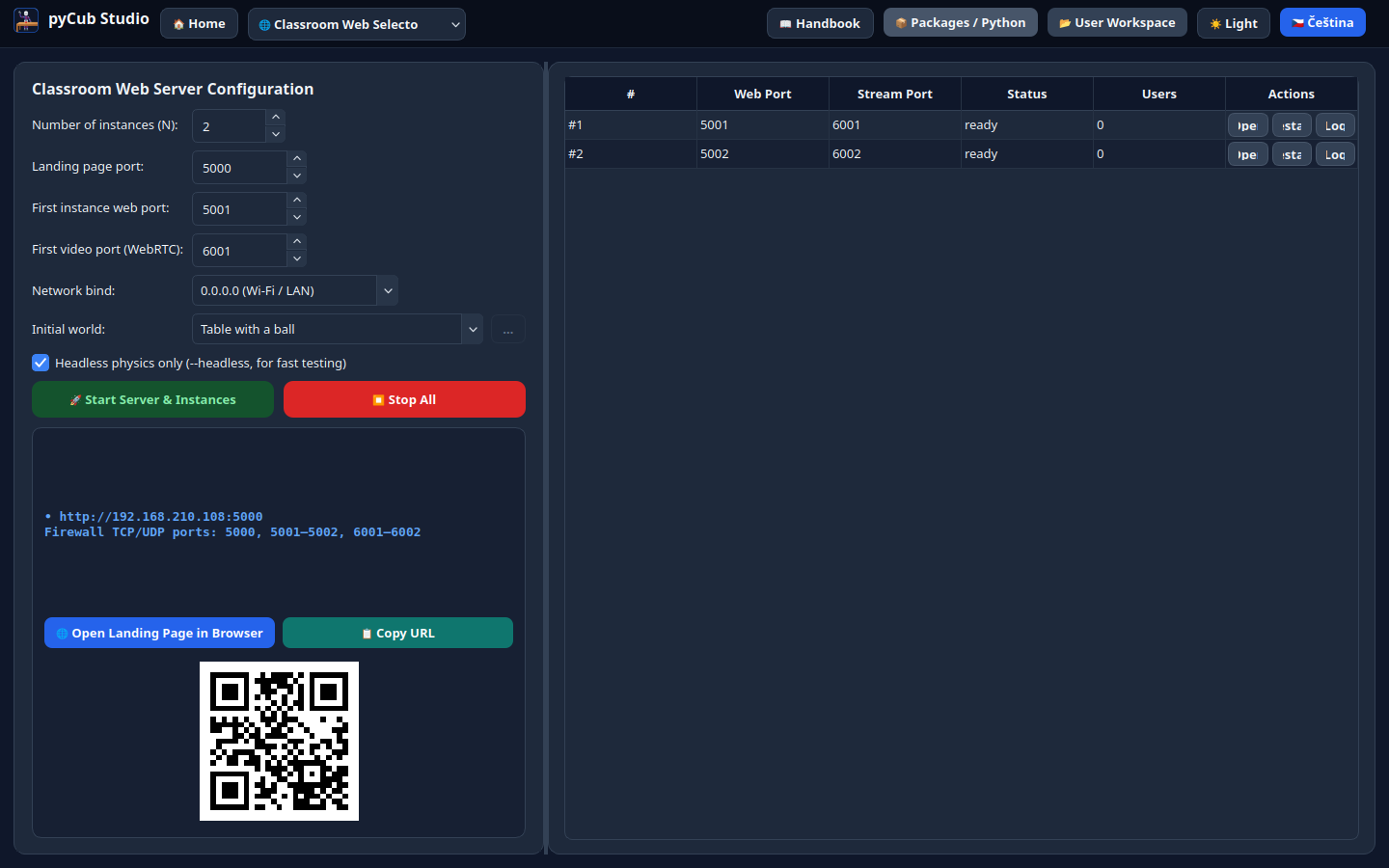
Run workshops or school labs from a single host machine. Spin up any number of isolated browser kid_ui instances, share the LAN URL or scannable Wi-Fi QR code with students on tablets or Chromebooks, monitor live user counts, restart individual workers, or inspect logs.

  • Spawn N isolated browser simulator instances behind kid_ui_landing.py
  • Instant LAN URL + scannable Wi-Fi QR code for student devices
  • Live per-instance health, user count, restart button & log viewer
pycub-studio --mode web
pyCub Studio Mode 5 Classroom Web Selector showing 2 running instances, LAN URL, and QR code

User Workspace (~/Documents/pyCub/)

On first launch, pyCub Studio initializes a writable workspace in ~/Documents/pyCub/ so students and teachers can extend the simulator without modifying app bundles:
worlds/

Custom .yaml configs automatically listed in the world picker. Inherit built-in worlds via parent: with_ball.yaml.

meshes/

Drop custom .obj or .urdf models here. Missing *_vhacd.obj files automatically generate and cache convex hulls.

extra_packages/

Auto-added to sys.path — install extra PyPI packages directly from Studio without needing system Python.

scripts/ & projects/

Your Python scripts (.py) and Scratch visual projects (.pycub_blocks).

exercises/ & examples/

Unpacked Course Exercises 1–5 with automated testers and reference example controllers.

images/

Exported l_eye / r_eye RGB & Depth camera snapshots from Normal Mode.

Download Binaries
Full Code & Command Reference